Helper is a Mudlet metapackage to be used in other packages or projects to provide help text parsing via tags. It is inspired by the help system in the generic_mapper package that comes with Mudlet.
This package is meant to accompany your own packages to provide help text for commands, triggers, and whatever else you can think of.
To use Helper, all you need is to have it installed as a package, or,
alternatively, you can just copy the Helper.lua file into your own package,
either directly, in Mudlet, or in your muddler or muddy project's resources
directory.
The function to call to use Helper is:
helper.print({text = "Your text"[, styles = {h1 = "chartreuse", h2 = "blue"}]})It accepts two arguments:
text- The text to parse for help tags.styles- A table of styles to use for the help text.
The styles parameter is optional. If not provided, the default styles will be
used. Passing styles will merge your custom styles with the defaults,
overriding existing styles and adding new ones.
By default, Helper has the following styles defined:
local defaultStyles = {
  h1 = "red",
  h2 = "blue",
  h3 = "yellow",
  h4 = "green",
  h5 = "magenta",
  h6 = "cyan",
}
The values for the colours are those which are supported as part of Mudlet's
colour table
which works with the cecho()
function that is used to display the text.
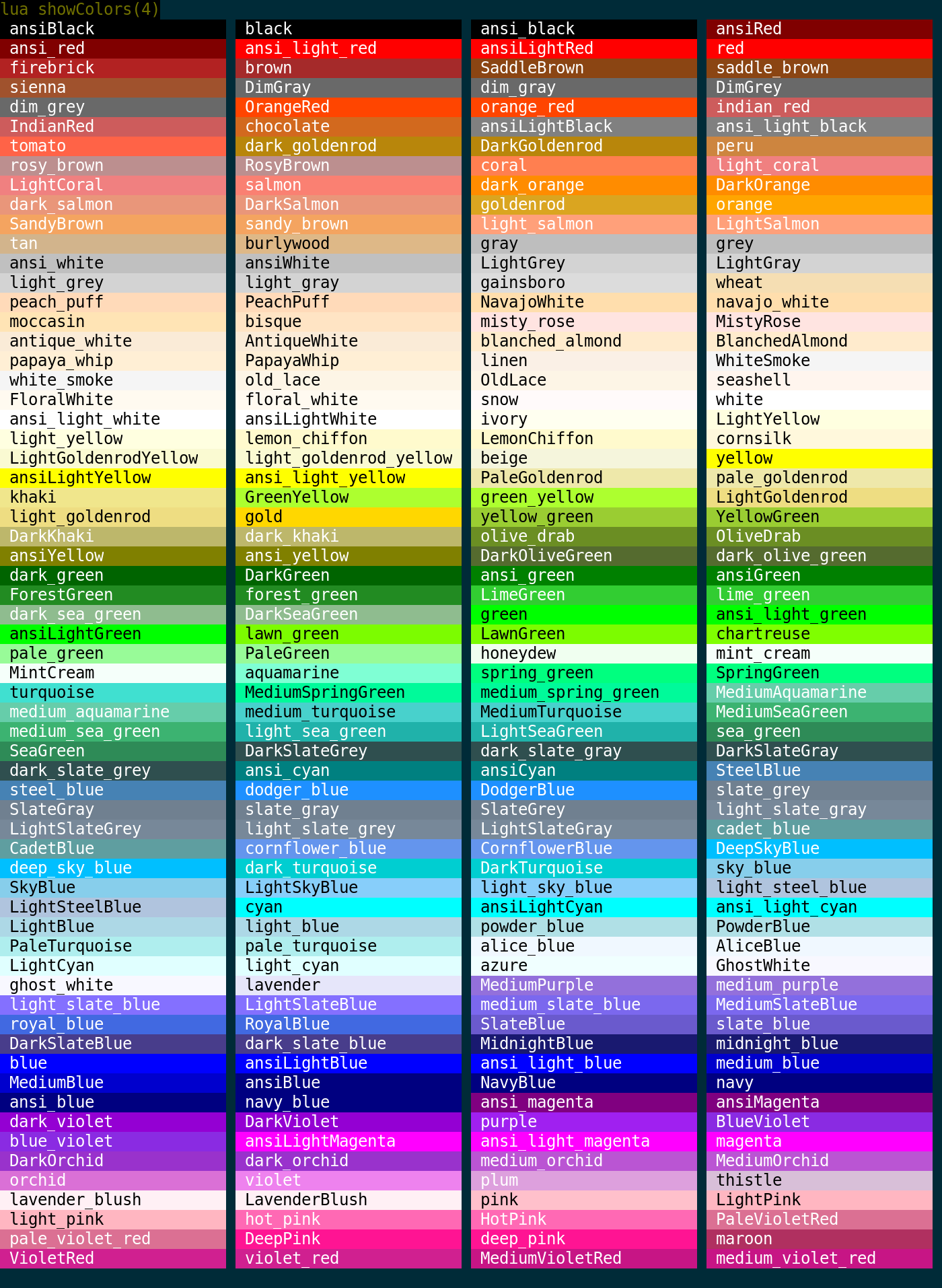
The text can contain tags which are similar in appearance to those in HTML,
including those which are recognised by the cecho()
function, as well as the <reset> tag.
A basic example of the text parameter might look like:
local my_styles = {
  h1 = "chartreuse",
  danger = "orange_red",
}
helper.print({
  text =
"<danger>Warning!</danger>\n" ..
"This is a <h1>test</h1> of the emergency text system. Contact your local\n" ..
"kitten for some comfort.",
  styles = my_styles,
})Helper currently does not support nested tags. Any closing tag (</...>) is
rewritten to <reset>, which clears all active styling rather than popping
only the innermost one. This also applies to cecho's native decoration tags
(<b>, <u>, <i>, <s>) when they appear inside a Helper-styled scope —
their closers will reset the surrounding color as well.
For now, keep each styled span flat:
-- OK
"<danger>Warning!</danger> <h1>Heading</h1>"

-- Not OK — the </u> and </danger> will wipe the active style
"<danger><u>Warning</u></danger>"Helper supports the use of tags which can derive text as return values from functions.
A tag is defined by using the @ symbol followed by the name of the function
which will be called to provide the text for that tag. For example:
Using a function to provide the text for a tag:
helper.print({text = "The current version of this package is <b><@version></b>."})

function version()
  return helper._VERSION
end
Using a method to provide the URL for a link:
helper.print({text = "You can download the latest version of this package "
                     "from <@MyPackage:url>."})

function MyPackage:url()
  return self._URL
end
The function must be defined and accessible by the Helper module.
helper is released under the 0BSD.